Source-based profile by Robots at Home. Checked .

COMPANION / POLLEN ROBOTICS

Reachy Mini Wireless

An expressive desktop robot with onboard computing for conversational AI, creative coding and interaction experiments.

Commercially offered
Check current regional price

The official store localizes currency. Taxes, shipping and import charges depend on destination.

Build an ownership budget
Official information
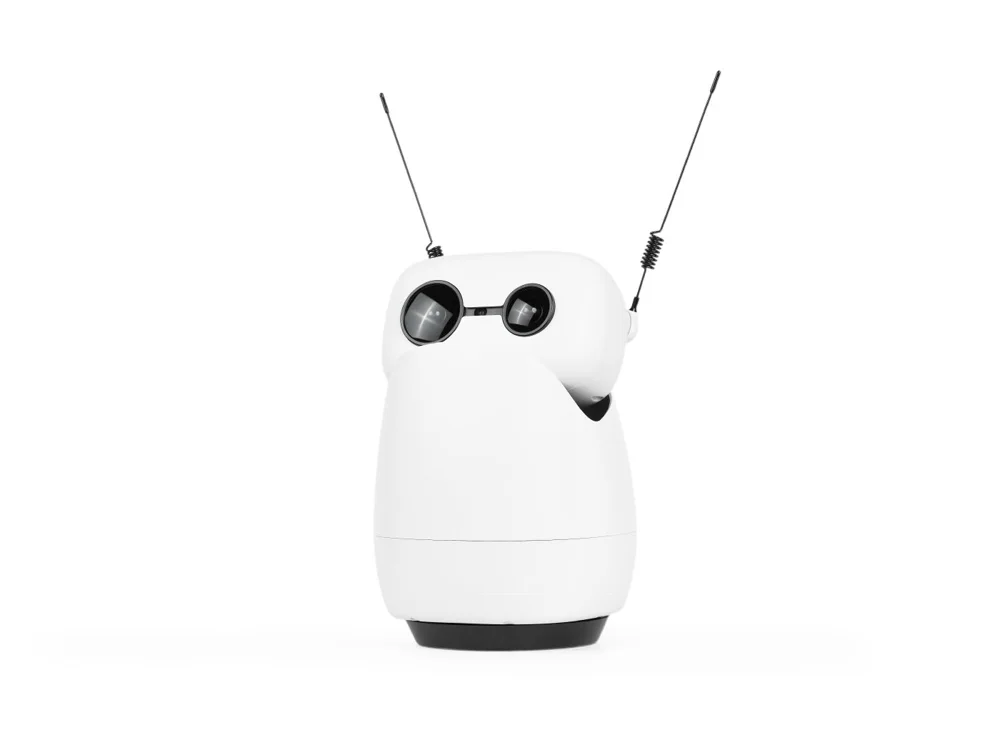
White Reachy Mini with two antennae and round eyes
Reachy Mini Wireless. Product image supplied by Pollen Robotics.Image: Pollen Robotics / Seeed Studio

THE INTENDED JOB

Who it is for.

Developers and curious makers exploring how software becomes a physical presence.

SPECIFICATIONS

Format
Desktop robot kit
Compute
Onboard Raspberry Pi CM4
Programming
Open-source Python SDK
Intended users
Development platform recommended for ages 16+

BEFORE YOU DECIDE

Read the small print.
It changes the picture.

  • Current terms allow up to 90 days from purchase before shipment.
  • The Lite edition requires a host computer; it is a different electronics configuration.
  • Confirm the exact edition, current destination availability and delivered price with the seller. A listed product is not a live-stock guarantee.

LIVING WITH THE HARDWARE

What ownership involves.

Assembly
Sold as a kit. The Wireless setup guide estimates two to three hours of assembly and says the required tools are included.
Computer & setup
The Wireless edition runs on its onboard Raspberry Pi CM4. Initial setup uses Reachy Mini Control; programming workflows can also use an external computer.
Connectivity
Wi-Fi configuration starts through the robot's own access point, then joins your network. Individual apps can introduce additional internet or service requirements.
Development access
Public Python SDK and source code support custom behavior. The main documentation also describes JavaScript web apps; match instructions to your installed software release.

FOLLOW THE EVIDENCE

Sources & further reading

Checked . Product information describes published documentation, not our own hardware testing.

  1. 01Official product
  2. 02Current editions and terms
  3. 03SDK overview and release selection
  4. 04Wireless assembly and setup
  5. 05Wireless development workflow